
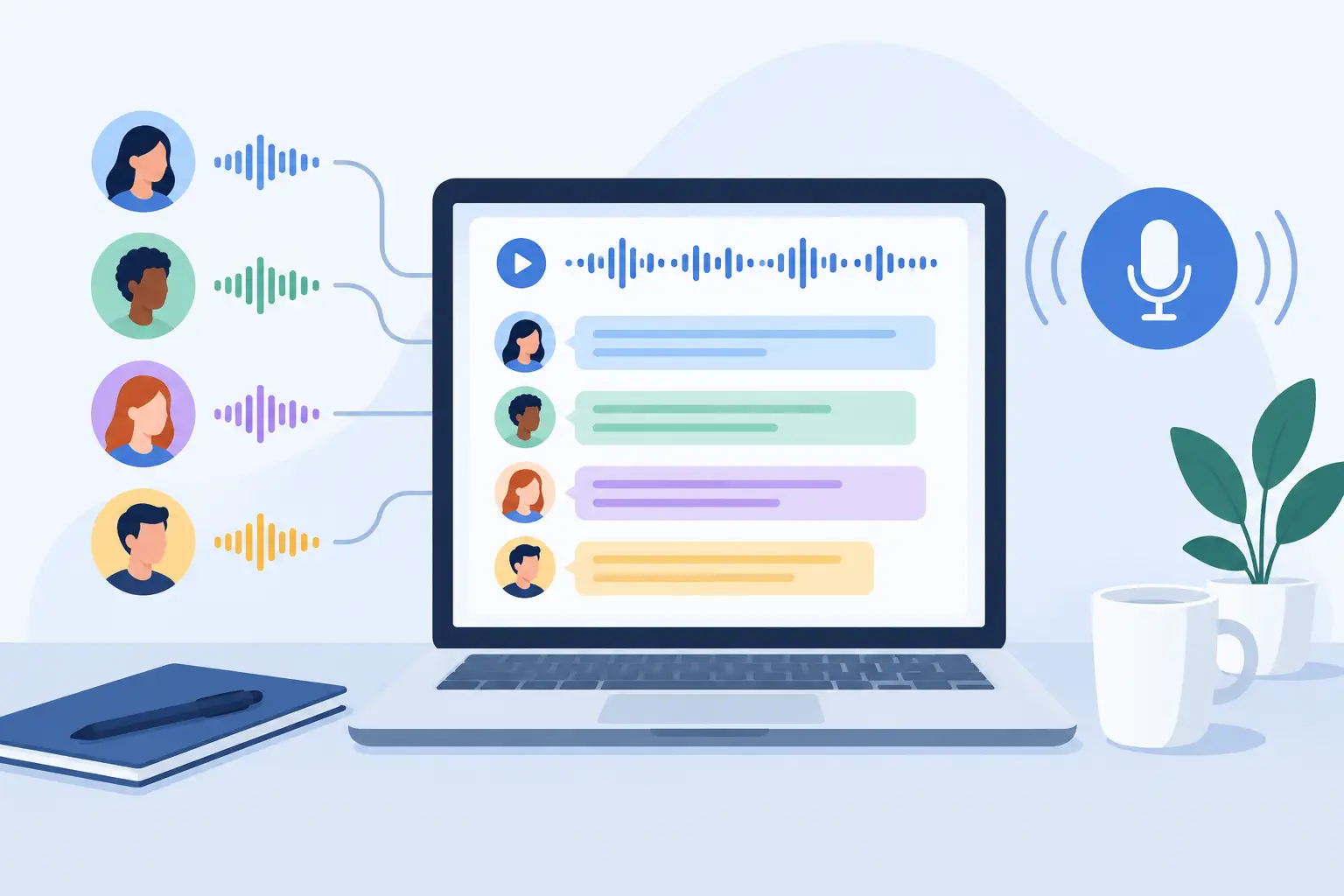
A 45-minute interview is much less useful when every paragraph begins with the same anonymous label: “Speaker”. You can search the words, but you cannot quickly see who made the claim, asked the question or agreed to an action. That is the practical problem speaker tagging solves.
What is speaker tagging?
Speaker tagging is the process of assigning spoken sections in a transcript to the person who said them. Instead of presenting a block of text as one continuous conversation, transcription software separates the dialogue into labelled turns, such as Interviewer, Participant, Sarah and James.
The labels make a transcript easier to read, verify and use. A journalist can distinguish a source’s quote from their own question. A consultant can see which stakeholder committed to the next step. A researcher can compare responses across an interview without repeatedly replaying the recording.
Speaker tagging is often used alongside timestamps. Together, they create a dependable route back to the original audio: who said something, what they said and when they said it. This matters when a transcript needs to support decisions, reporting, analysis or an accurate record of a sensitive conversation.
Speaker tagging and diarisation are related, but not identical
The technical process behind automatic speaker tagging is commonly called speaker diarisation. Diarisation analyses an audio recording and estimates when one voice stops and another begins. It may produce neutral labels such as Speaker 1, Speaker 2 and Speaker 3.
Speaker tagging is the useful, reader-facing outcome. Once those speech segments have been identified, you can rename Speaker 1 as “Dr Patel” or “Client”, then correct any sections where the system has assigned a turn incorrectly.
This distinction is useful because diarisation does not necessarily identify a person by name. It detects differences between voices in a recording. The final identity labels usually come from the person reviewing the transcript, unless names are clearly established in the audio or supplied in advance by a workflow.
For professional work, that review step is not a weakness. It is an appropriate control. Software can rapidly structure a long conversation; the person responsible for the record confirms the names and context.
How speaker tagging works in practice
When audio is uploaded or recorded, the transcription system first converts speech into text. It also examines features of each voice, including vocal characteristics and changes in the audio signal, to separate likely speakers across the recording.
The transcript is then displayed in turns. A new paragraph or segment appears when the system detects that another speaker has started talking. Each segment receives a speaker label and a timestamp. You can review the labels, rename them, merge duplicate labels and correct individual passages where needed.
The process is particularly effective when people take turns speaking clearly. A one-to-one interview, client call or recorded coaching session generally gives the system enough separation to create a useful first draft quickly.
It becomes more complicated when several people speak over one another, when a participant joins through poor-quality audio, or when a meeting room creates echoes. The software may still identify changes in speech, but it has less evidence for deciding whose words belong to whom. In those cases, the transcript should be treated as a structured draft rather than a final record.
Why speaker labels matter beyond readability
Speaker tagging reduces the time spent navigating recordings. Without labels, finding a specific contribution often means listening through several minutes of audio. With labelled speakers and timestamps, you can scan the transcript, locate the relevant passage and return to the recording only when verification is needed.
It also improves accountability. Meeting notes that say “a deadline was agreed” are less useful than a transcript showing which person agreed to provide a document, approve a budget or contact a customer. The aim is not to create surveillance. It is to preserve an accurate working record where attribution matters.
For journalists and researchers, clear speaker attribution protects the integrity of quotations and analysis. For coaches and consultants, it helps distinguish client reflections from professional guidance. For content teams, it makes it faster to identify the strongest clips, extracts and themes from a recorded discussion.
There is a privacy dimension too. A speaker-labelled transcript can make sensitive information easier to find, so it should be stored and shared with care. Access controls, clear retention periods and a provider that does not train AI models on customer content are material considerations when conversations include personal, commercial or research data.
Where speaker tagging is most useful
Speaker tagging is valuable whenever a conversation has more than one participant and the record needs to be usable after the call ends. Common examples include interviews, discovery calls, internal meetings, user research sessions, podcasts, hearings and coaching conversations.
A market researcher, for example, may need to separate a moderator’s questions from a participant’s responses before coding themes. A podcast producer may need to find every point where a guest discusses a particular topic. A small team may want to confirm decisions without relying on incomplete notes taken while trying to participate in the meeting.
It is less critical for a single-speaker dictation or voice note. In that situation, timestamps, headings and accurate transcription are usually more valuable than speaker labels. Choosing the feature should follow the job at hand, rather than adding process for its own sake.
What affects speaker-tagging accuracy?
No speaker-tagging system can remove the effects of a difficult recording. Good source audio remains the strongest contributor to a useful transcript. The biggest challenges are overlapping speech, distant microphones, background noise, echo, very short contributions and participants with similar vocal characteristics.
Remote meetings can introduce another complication. If multiple people are captured through one shared microphone, their voices may blend together. By contrast, recordings where each participant has a distinct microphone or audio channel are usually easier to separate.
Language, accents and changes in speaking style can also affect transcription and segmentation. A person may sound different after moving closer to the microphone, speaking quietly, laughing or turning away from the device. Automated diarisation works from patterns, not a complete understanding of the meeting context.
This is why a short review is worthwhile before exporting or circulating an important transcript. Check the opening introductions, where names are often established; scan transitions between speakers; and verify any section that will be quoted, relied on for a decision or shared externally.
A practical review workflow
Start by listening to the first minute of the recording and rename the initial speaker labels. Once Speaker 1 becomes “Alex” and Speaker 2 becomes “Priya”, those names can be applied consistently throughout the transcript.
Next, use timestamps to inspect any abrupt change in topic or unusually short speech segment. These are common places for a label to be split or assigned incorrectly. Where two people talk at once, it may be better to retain the spoken overlap than force a false certainty about every word.
Finally, make the transcript fit its intended use. A verbatim research interview may require more detailed checking than internal meeting notes. A quote for publication deserves a final comparison against the recording. For a routine team catch-up, correcting names and actions may be sufficient.
Tools such as Endaxi Scribe make this workflow practical by combining transcription, speaker diarisation, timestamps and transcript editing in one working view. The value is not simply getting text from audio. It is getting to an organised record quickly, while retaining control over what is stored, corrected and exported.
Speaker tagging is a starting point for better records
The best result is not a transcript that looks automatically generated. It is a record that lets the right person find the right contribution without replaying an entire call. Capture clear audio, review the labels where accuracy matters, and treat attribution as part of the quality of the document, not an afterthought.